How to get a citation from search results
Every result has a ready-made citation in APA, MLA, Chicago and Harvard. You can copy it, or download an RIS file for your citation manager.
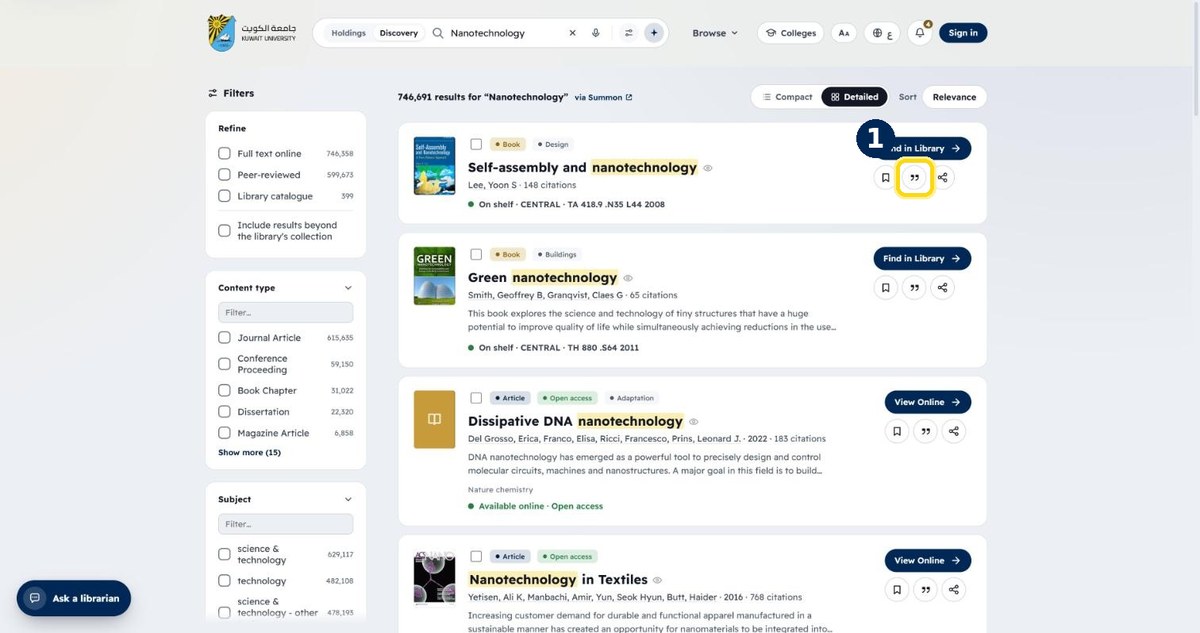
- 1
Click the quotation icon on a result
Search for a topic, then look under the result's title
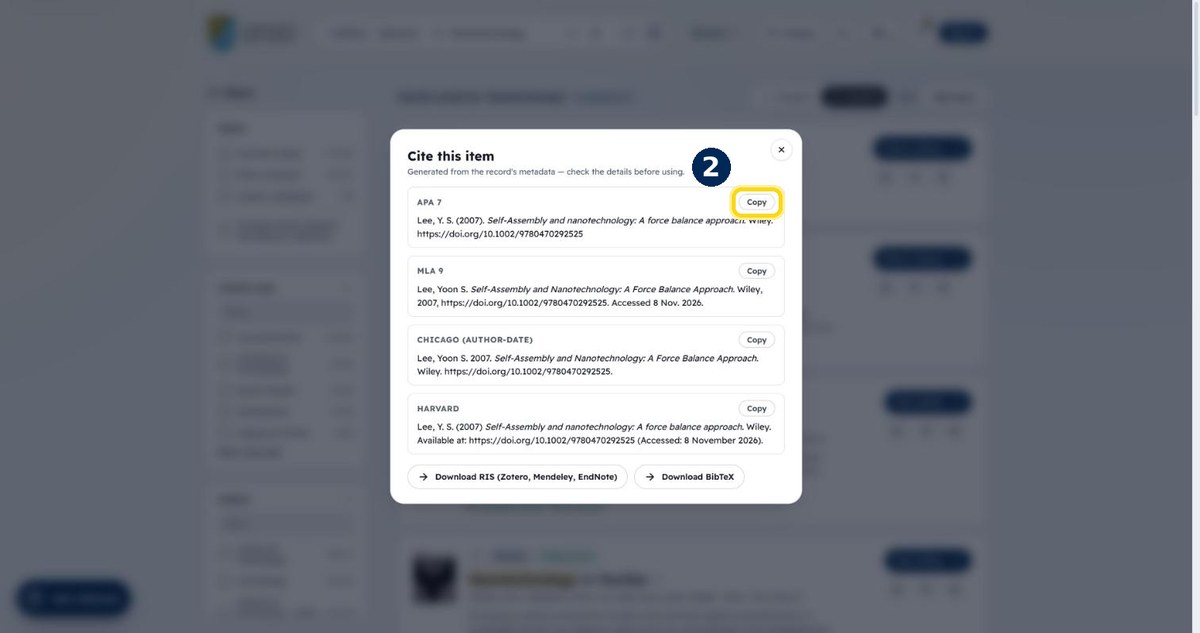
- 2
Choose a style and click Copy
APA, MLA, Chicago or Harvard — paste it into your document
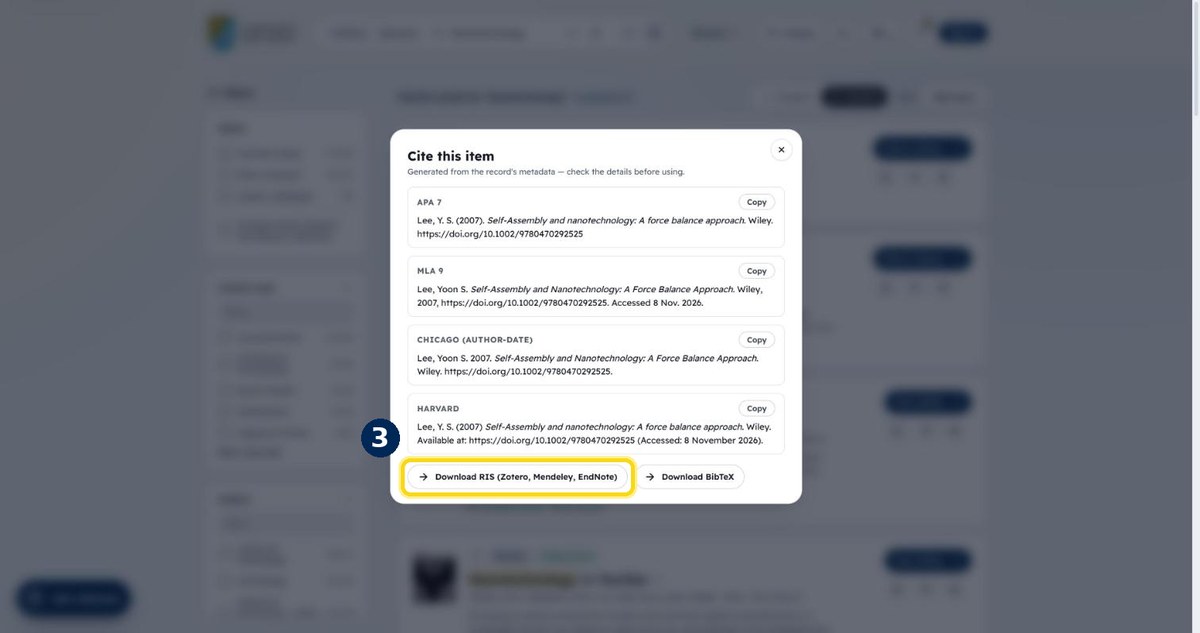
- 3
Or download the RIS file
Open it with EndNote, Mendeley or Zotero to add the reference