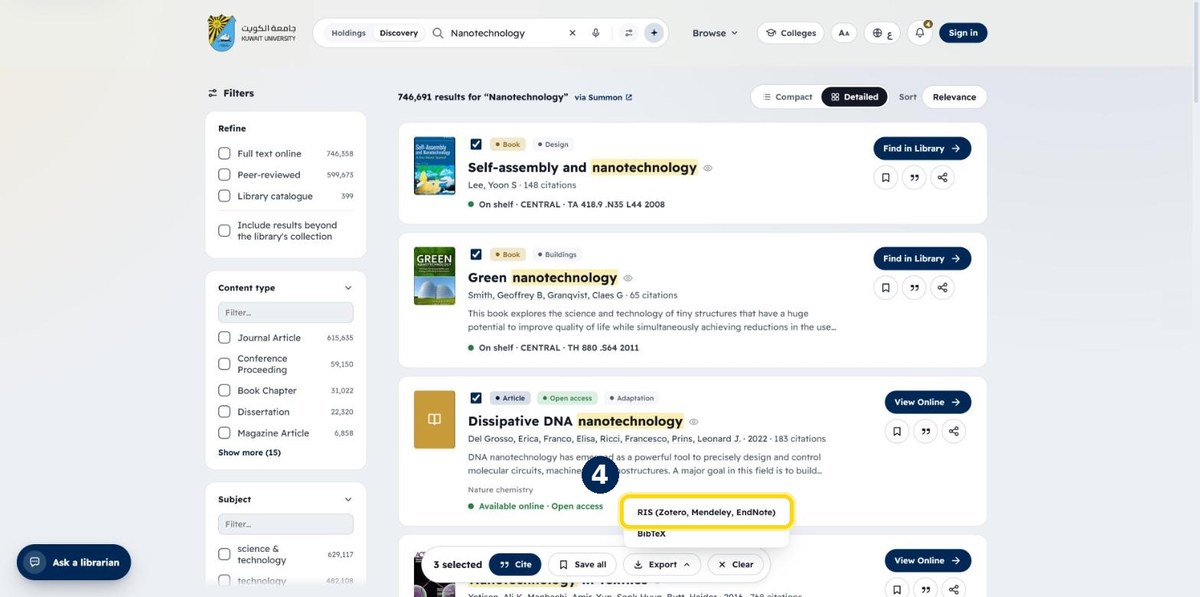
How to cite or export several items at once
Yes. Tick the results you want and a toolbar appears at the bottom of the page. From there you can copy all citations, save the items to your reading list, or export them as one RIS or BibTeX file.
- 1
Tick the boxes next to the items you want
A toolbar appears at the bottom of the page
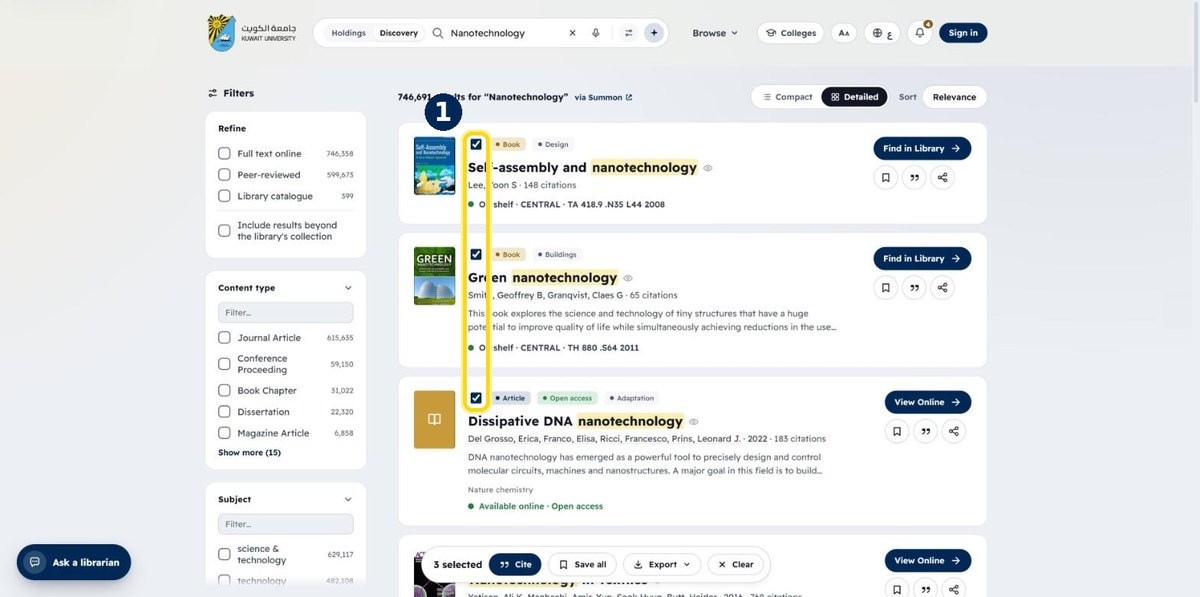
- 2
Use the toolbar: Cite, Save all or Export
Cite copies all citations · Save all adds them to your reading list
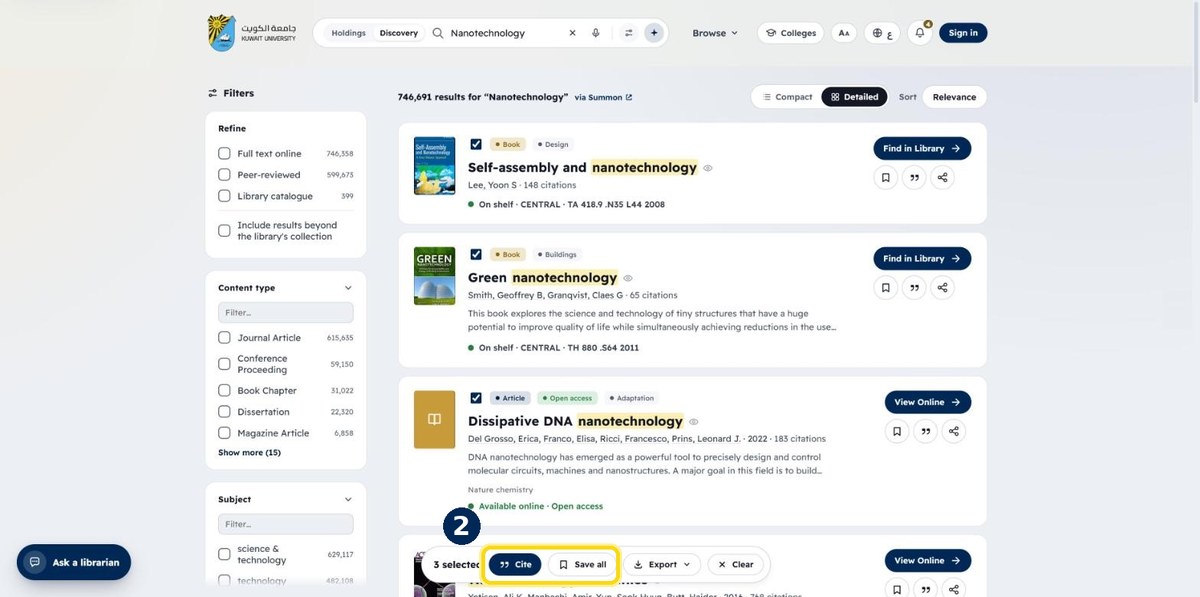
- 3
Click “Export”
To download all the references in one file
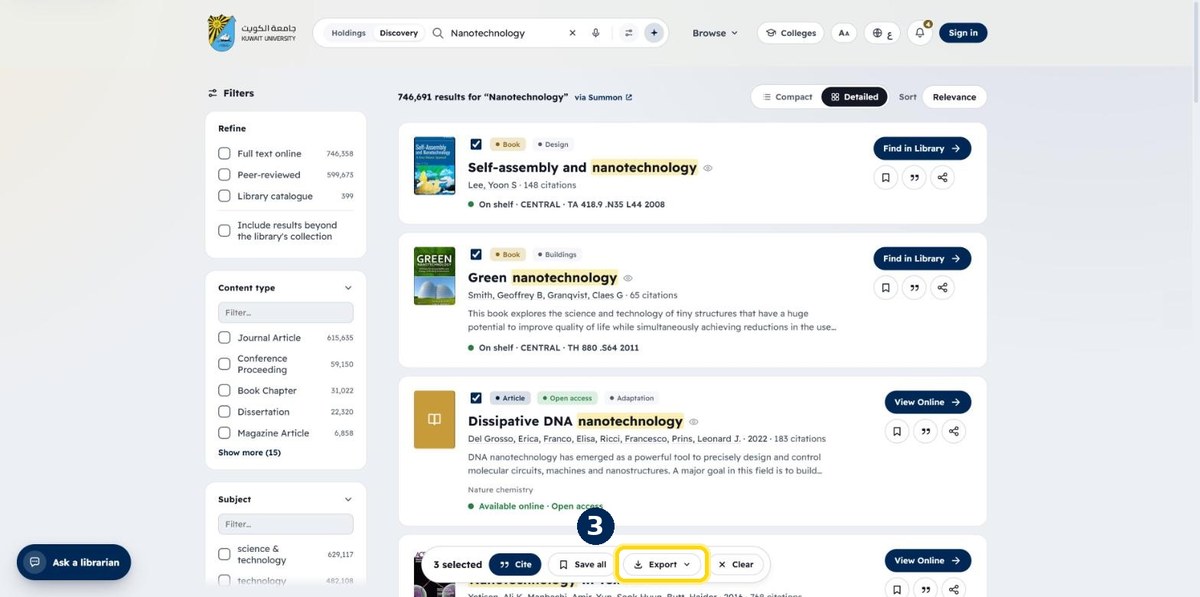
- 4
Choose RIS (or BibTeX)
Open the file with EndNote, Mendeley or Zotero