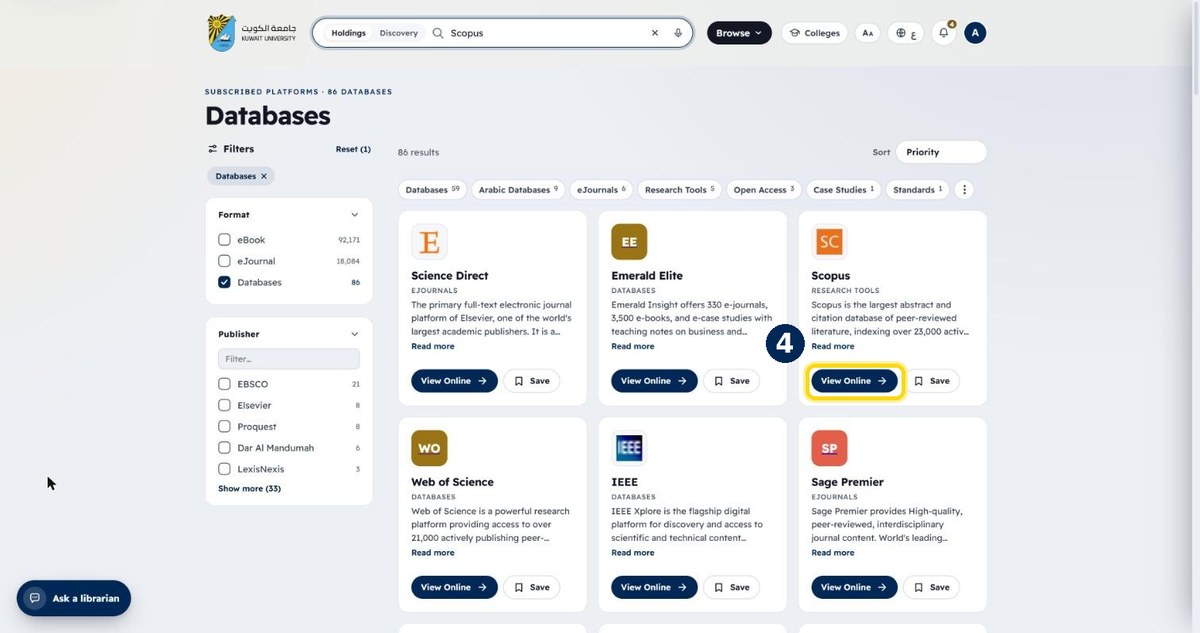
How to find a database
All subscribed databases are listed under Browse. Filter by name or type, then open the database with View Online.
- 1
Click “Browse” in the top menu
Next to the search box
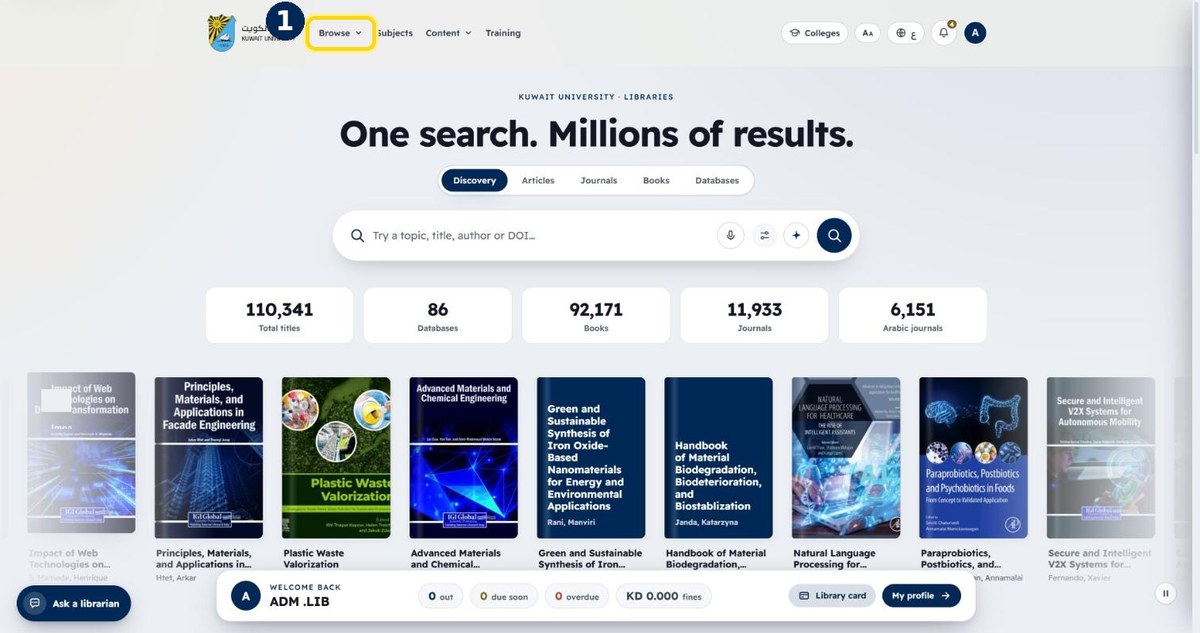
- 2
Choose “Databases”
The full A–Z list opens
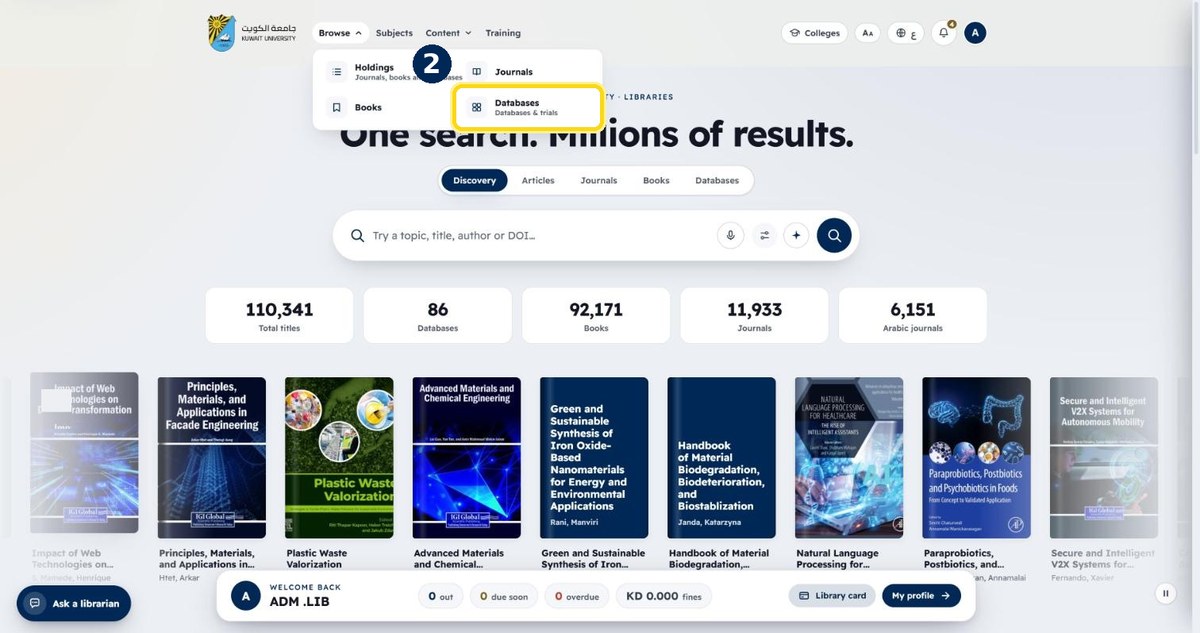
- 3
Type the database name to filter the list
Or use the type chips: Citation index, Full text…
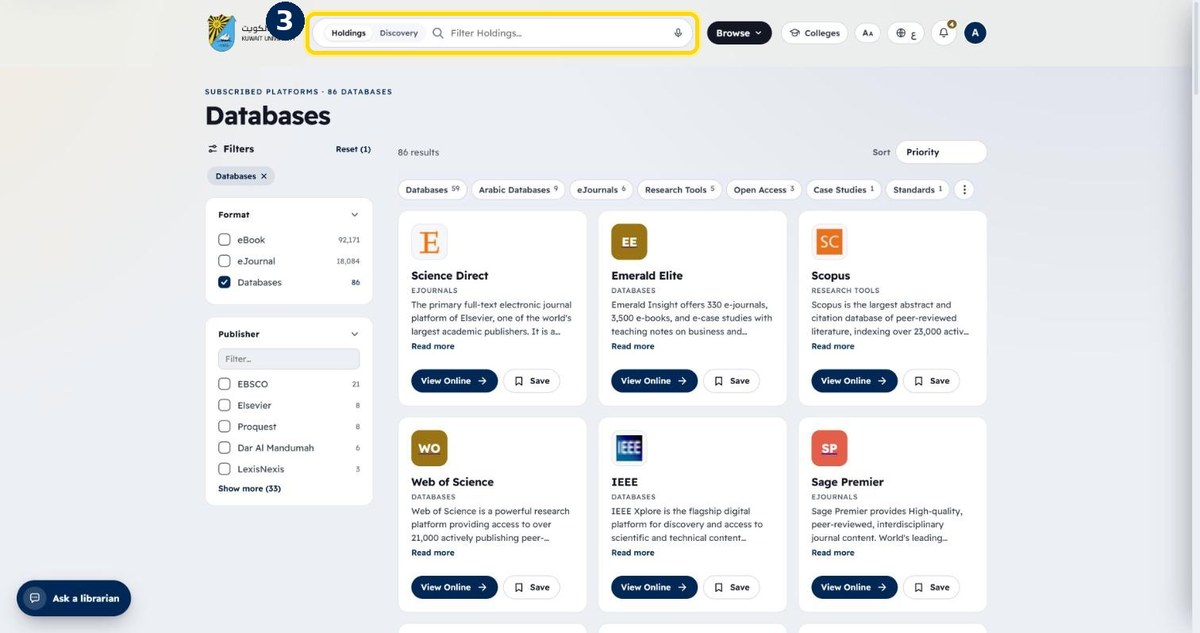
- 4
Click “View Online” to open it
Off campus you will be asked to sign in