How to find a journal
The Journals list holds every e-journal with its rankings. Tick “Current subscriptions” to see only titles the library pays for.
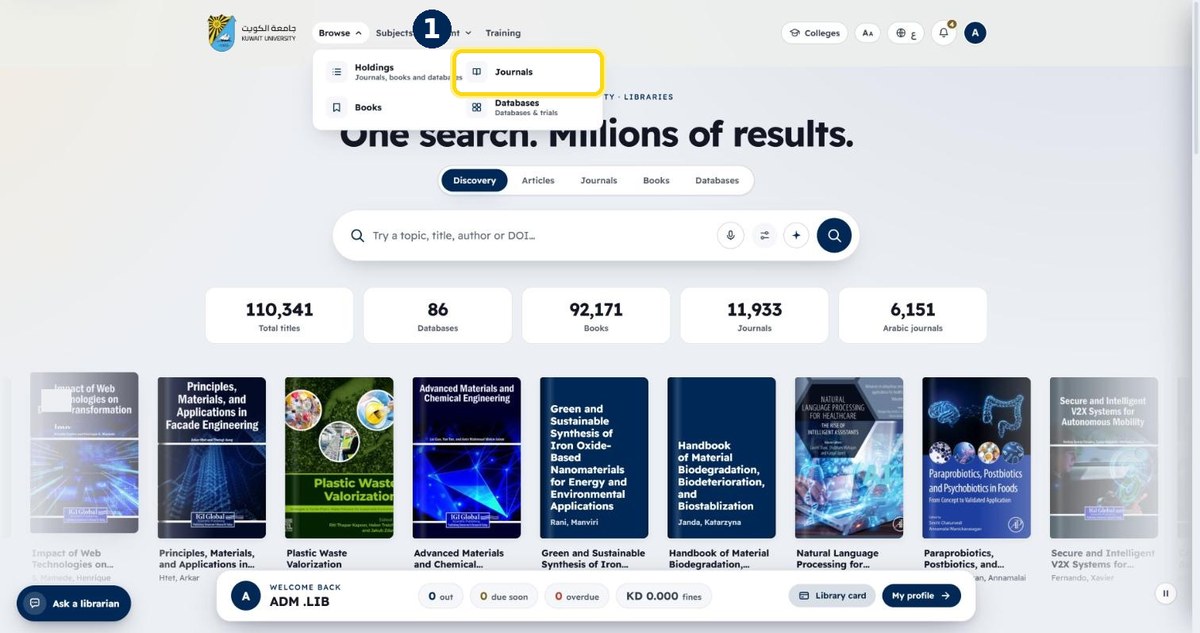
- 1
Open Browse → “Journals”
From the top menu
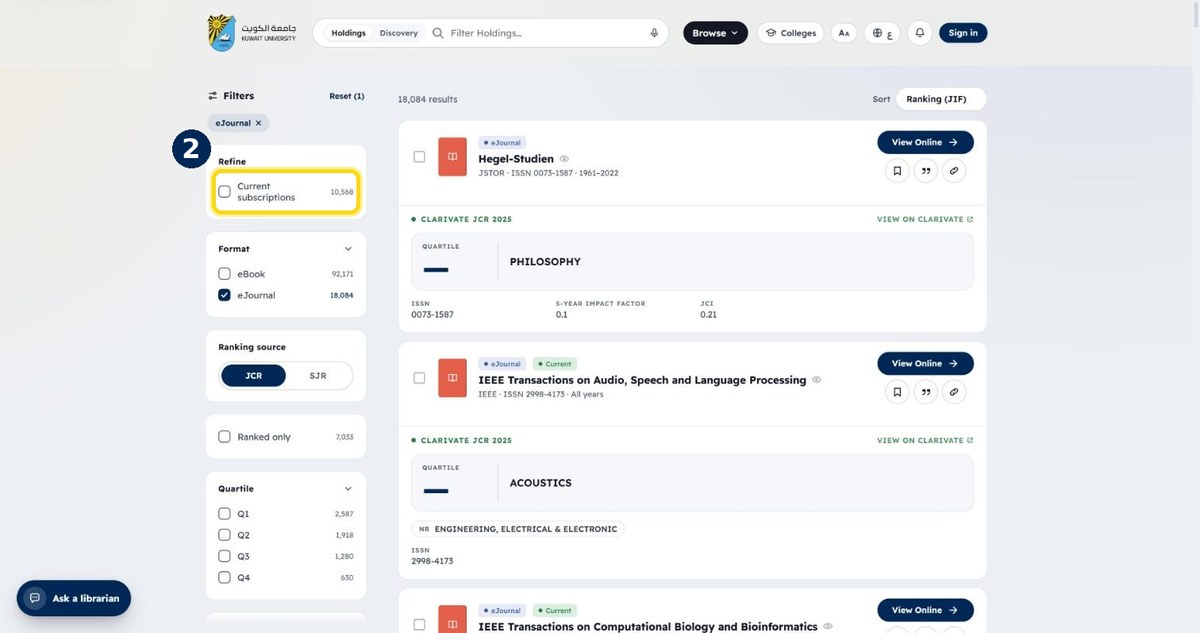
- 2
Tick “Current subscriptions”
Shows only journals the library subscribes to
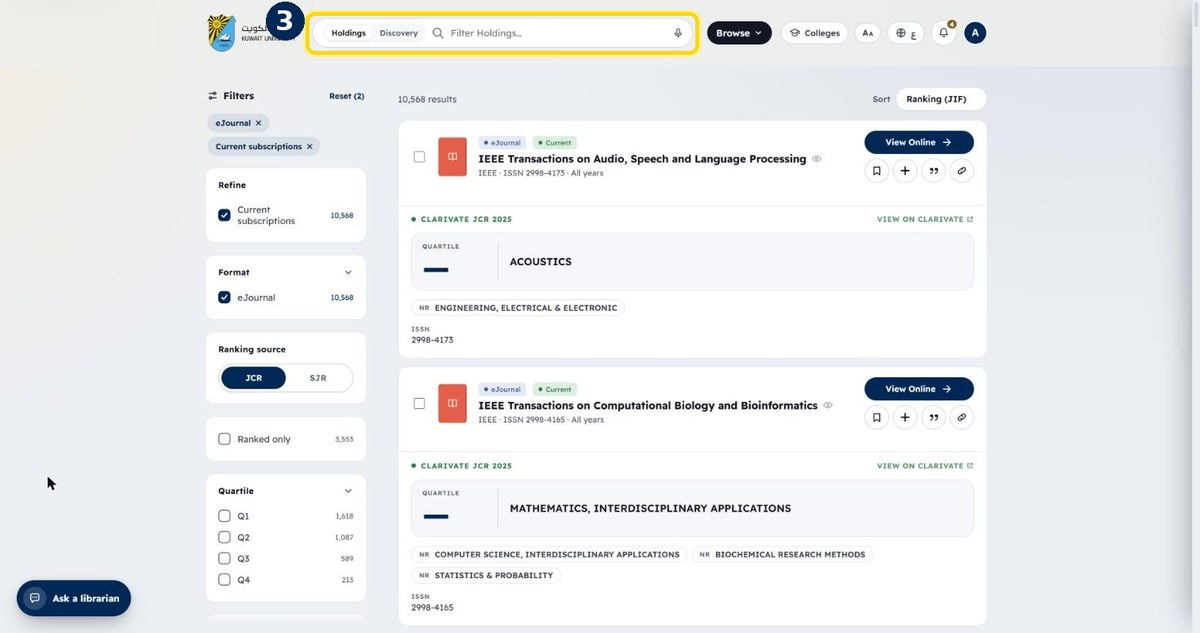
- 3
Type the journal title to find it
e.g. The Lancet
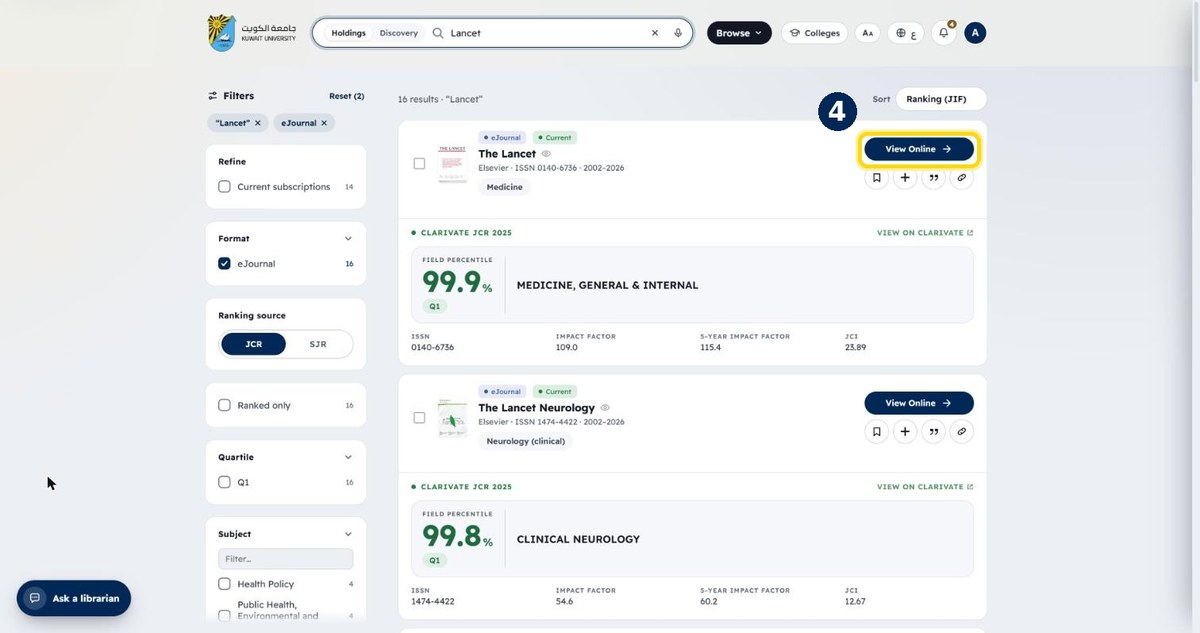
- 4
Click “View Online” to open the journal
Coverage years and ISSN are shown on the card