How to filter results
The filters on the side narrow a search step by step. Each filter you add appears as a chip above the results; click its × to remove it.
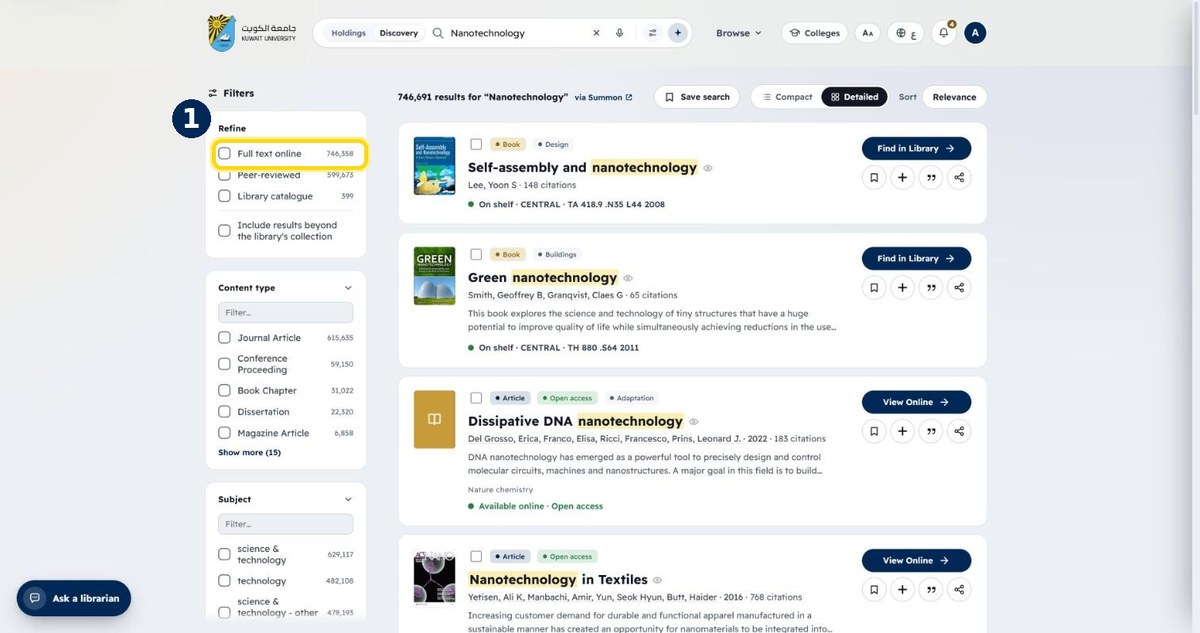
- 1
Tick “Full text online”
Keeps only items you can read right now
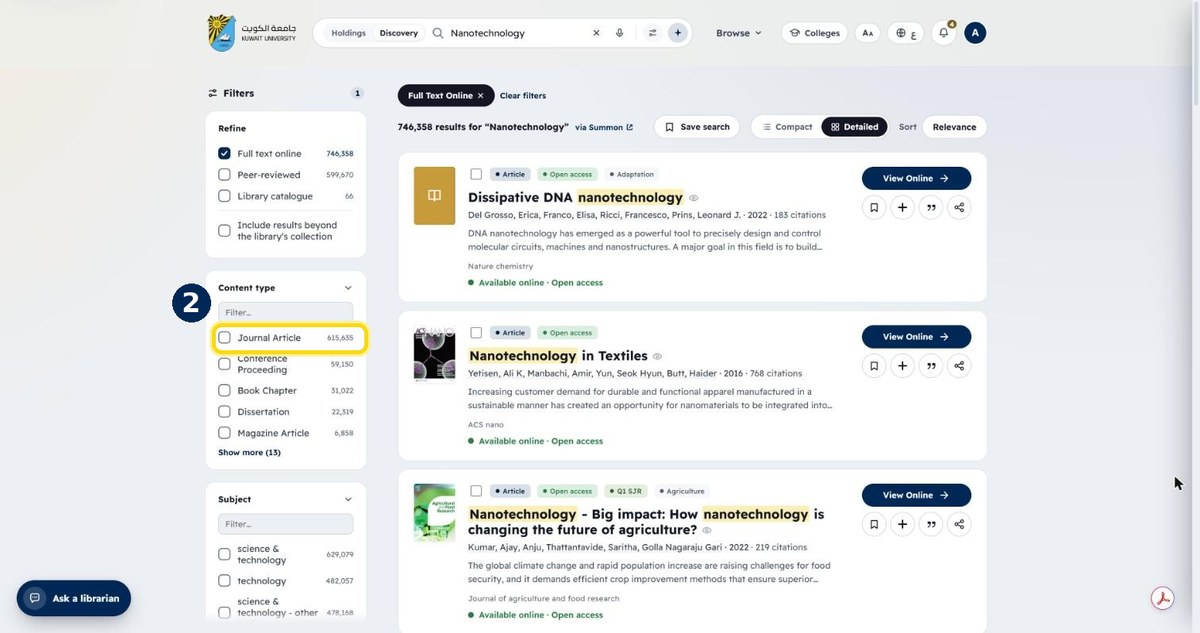
- 2
Choose a content type, e.g. Journal Article
Books, dissertations and conference papers are here too
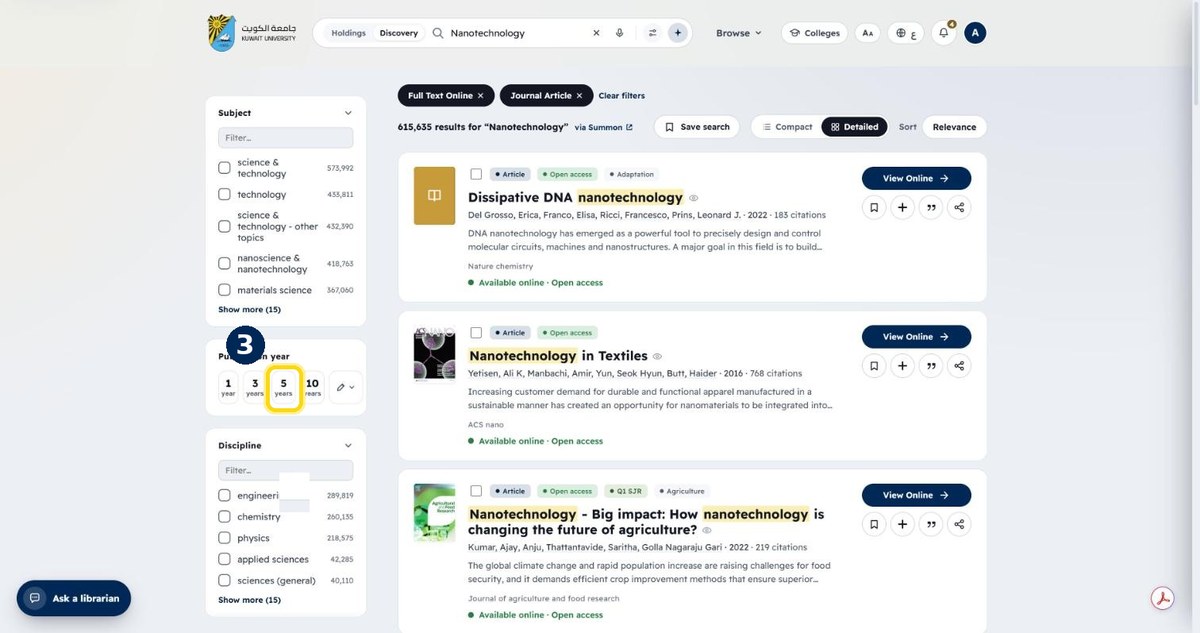
- 3
Pick a date range, e.g. the last 5 years
Scroll the filter panel to “Publication year”
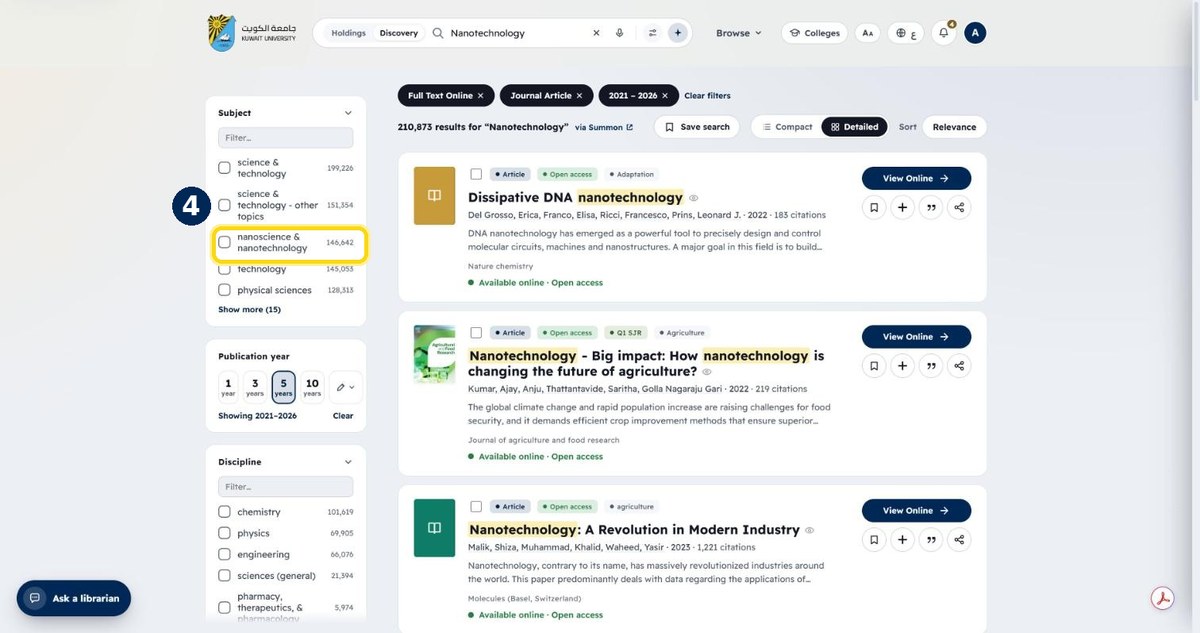
- 4
Tick a subject to narrow further
Subjects are listed with the number of results
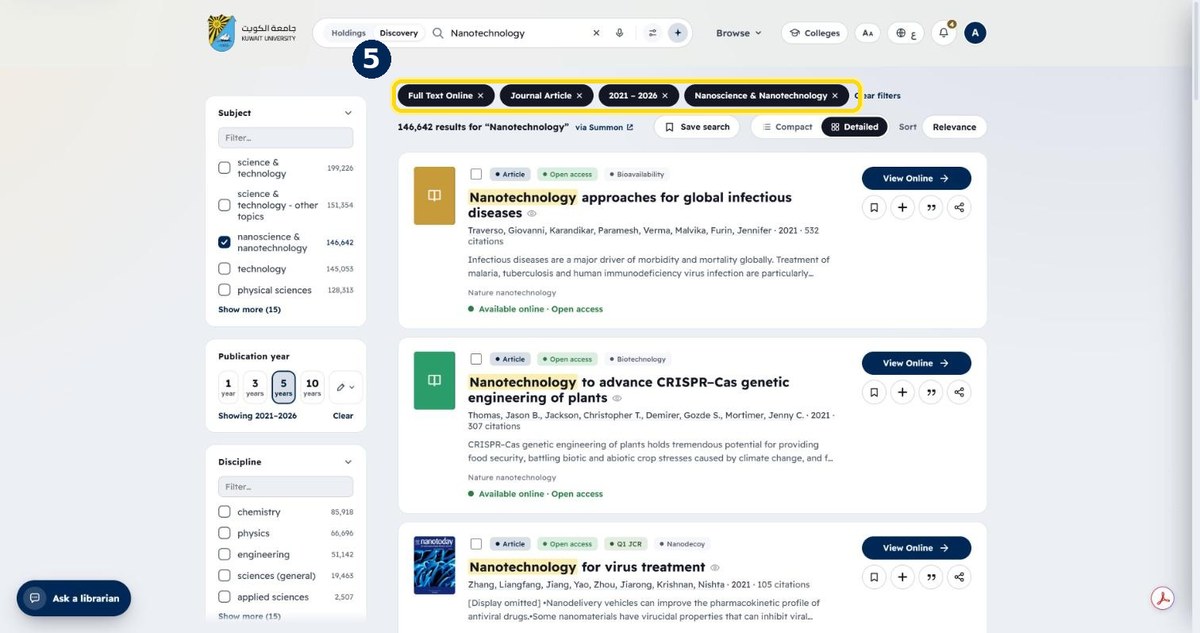
- 5
Your filters appear as chips above the results
Click × on a chip to remove it, or “Clear filters”