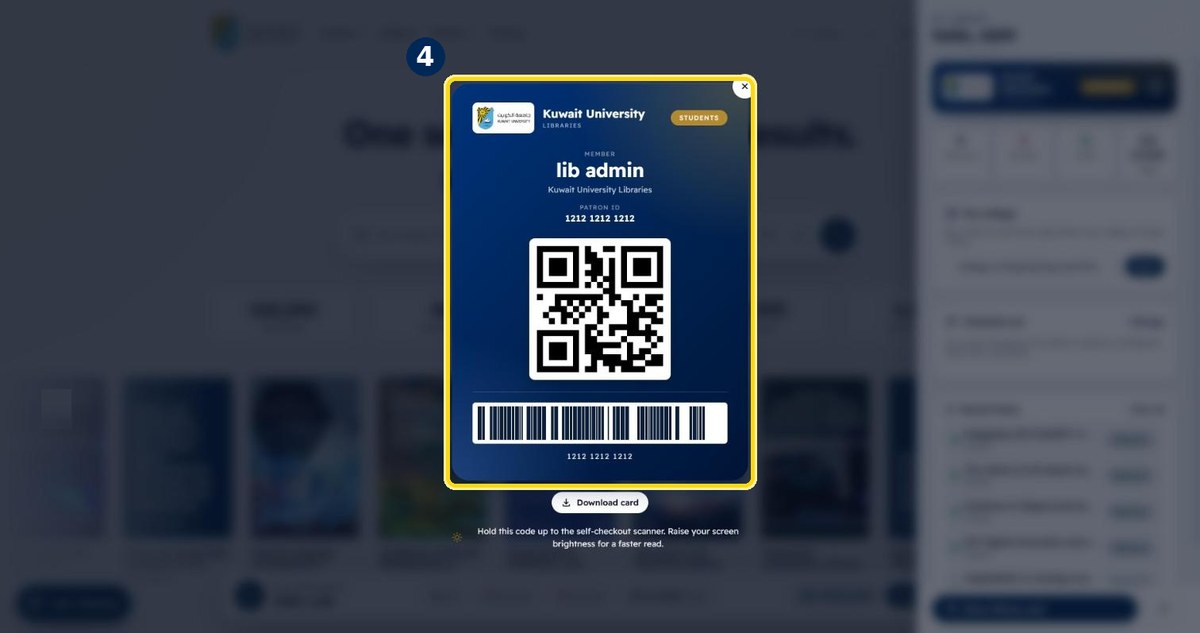
How to see your loans, overdue items and fines
Your library account is one click away: items out, overdue items, fines and saved items — plus your digital library card.
- 1
Click your initial at the top right
You need to be signed in first
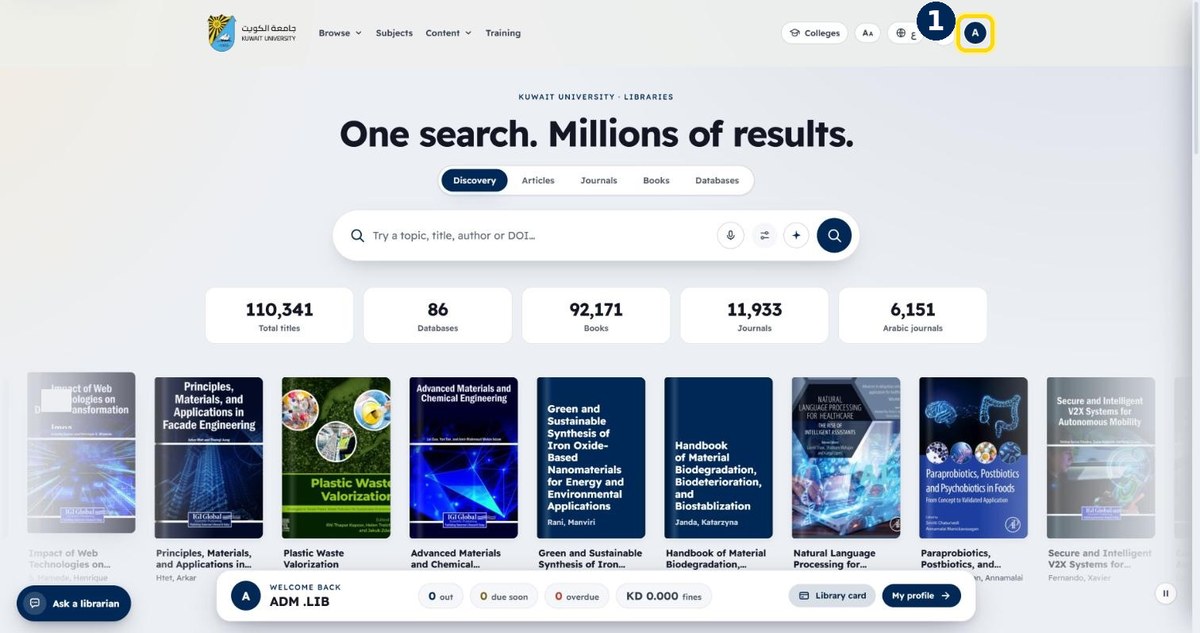
- 2
Check items out, overdue and fines
The My Library panel shows your account at a glance
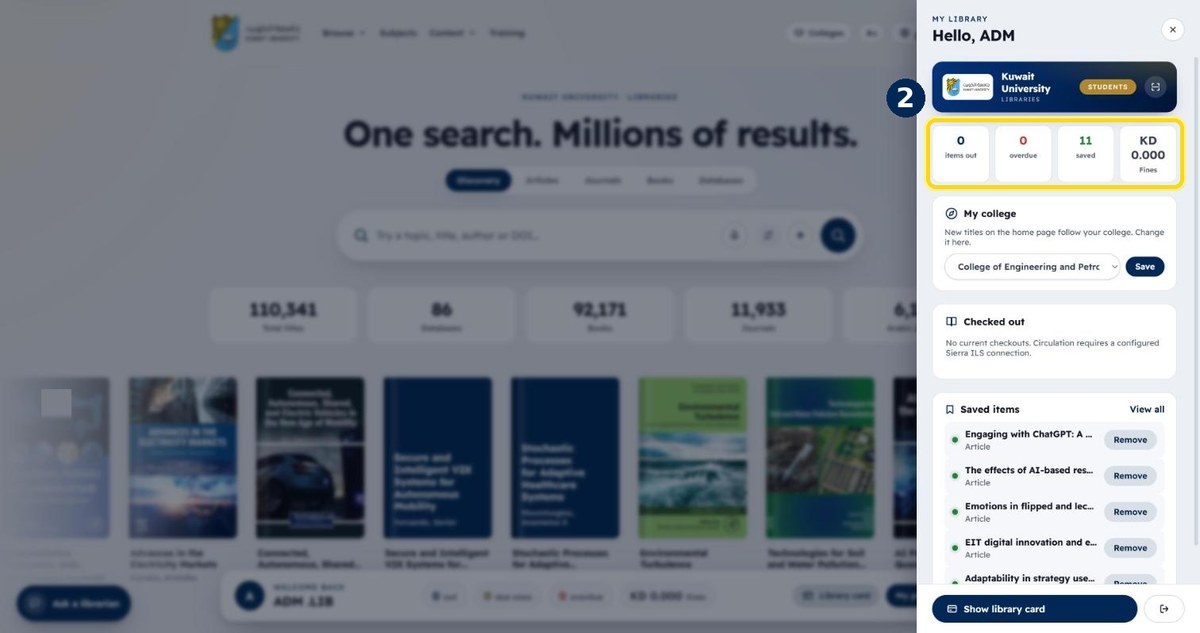
- 3
Click “Show library card”
At the bottom of the panel
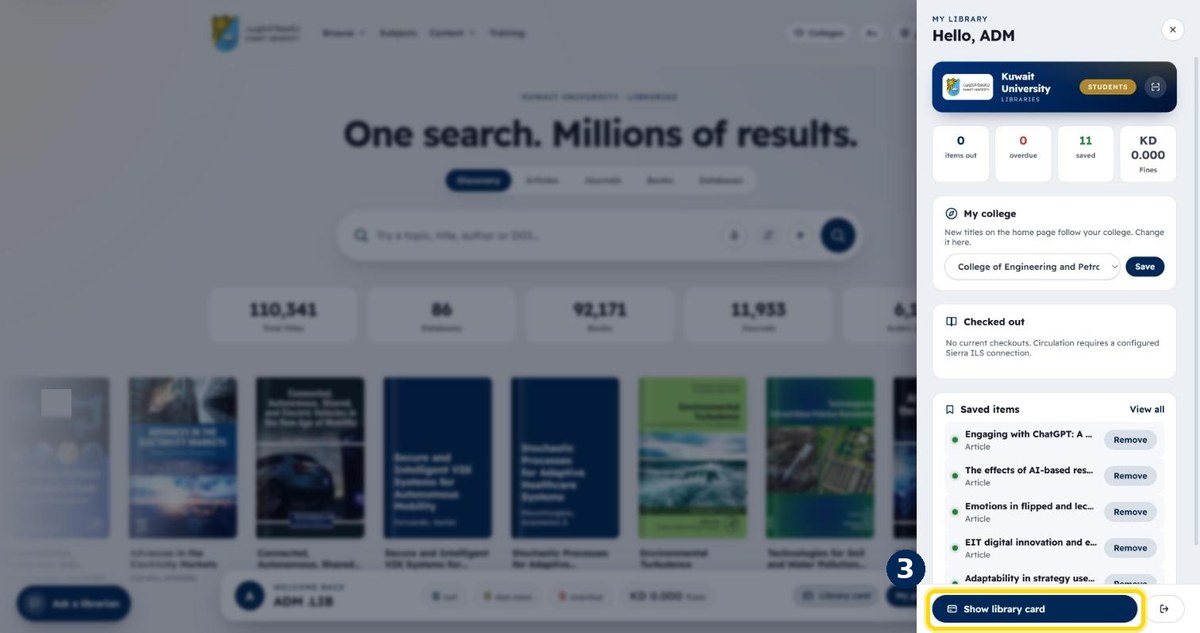
- 4
Show the card at the desk or self-checkout
Your patron ID and barcode — you can also download it