How to find Q1 journals in your subject
Journal rankings from Clarivate JCR and Scopus SJR are built in. Filter by quartile and subject to get a short list of top journals.
- 1
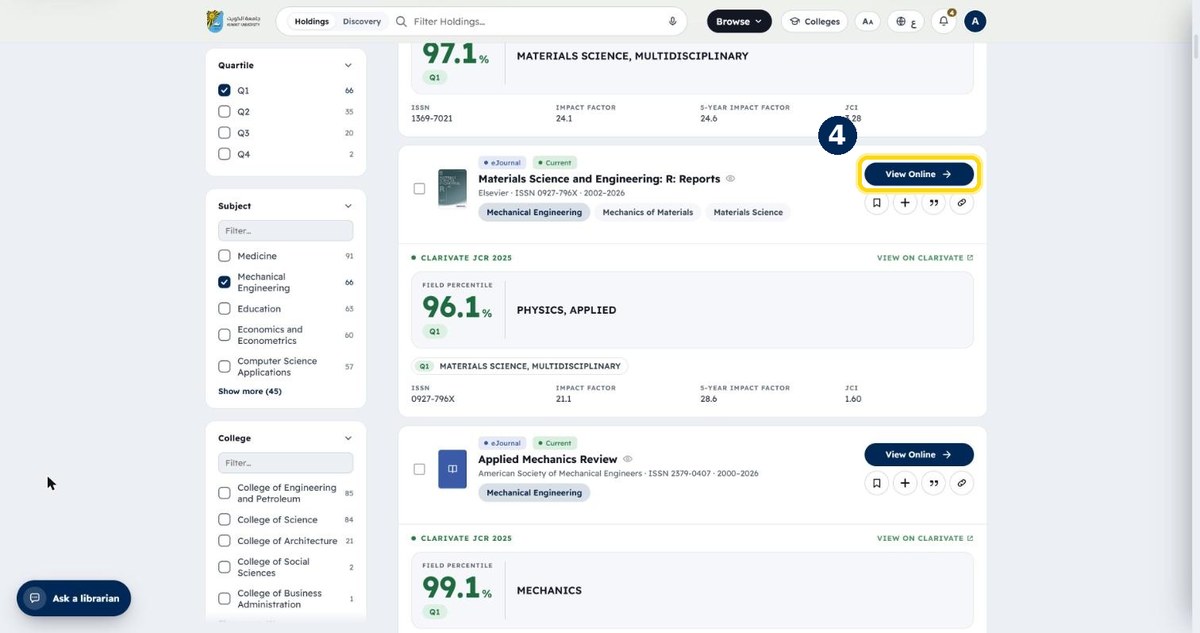
Choose the ranking: JCR or SJR
In the Journals list, under “Ranking source”
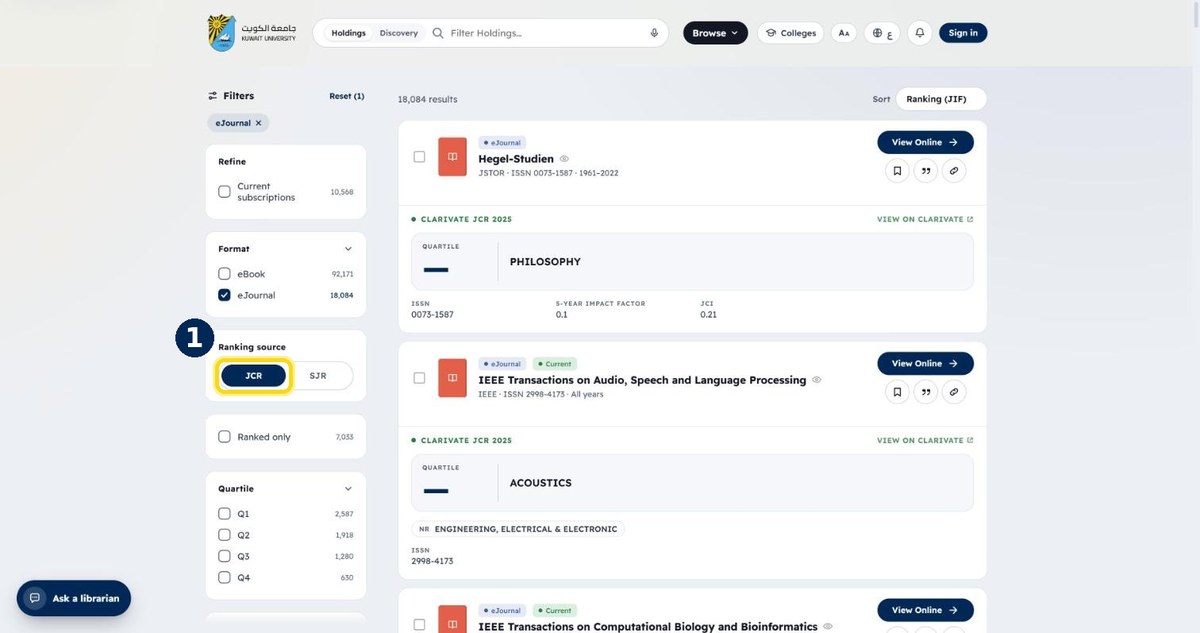
- 2
Tick “Q1”
The top quartile in its category
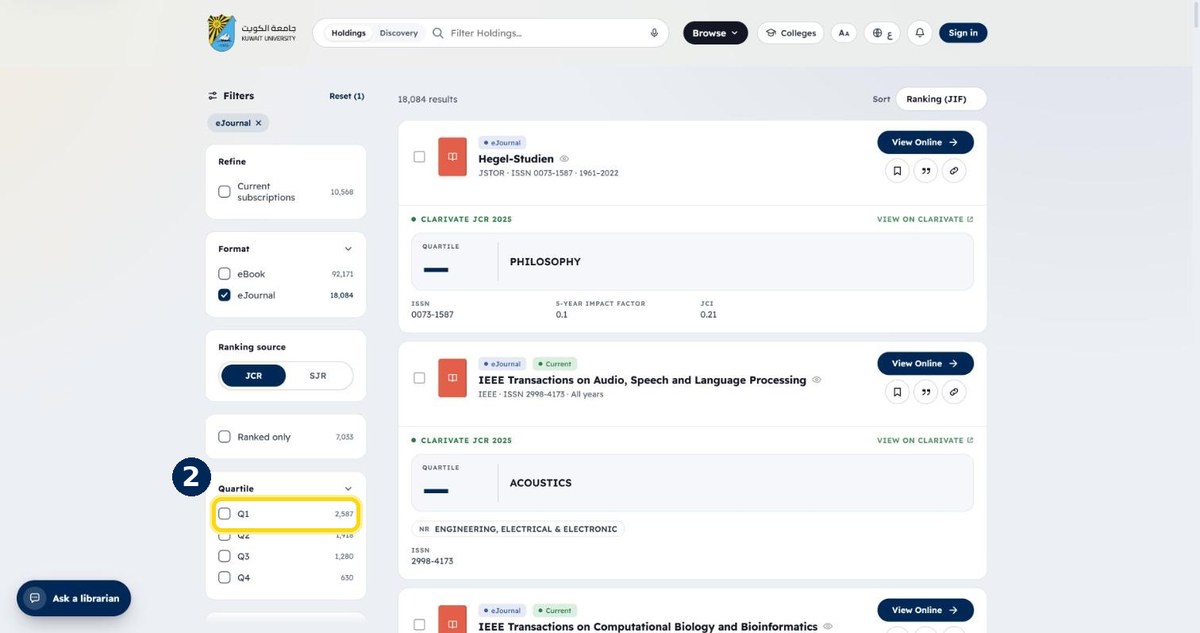
- 3
Tick your subject
Scroll down to “Subject” and use its filter box
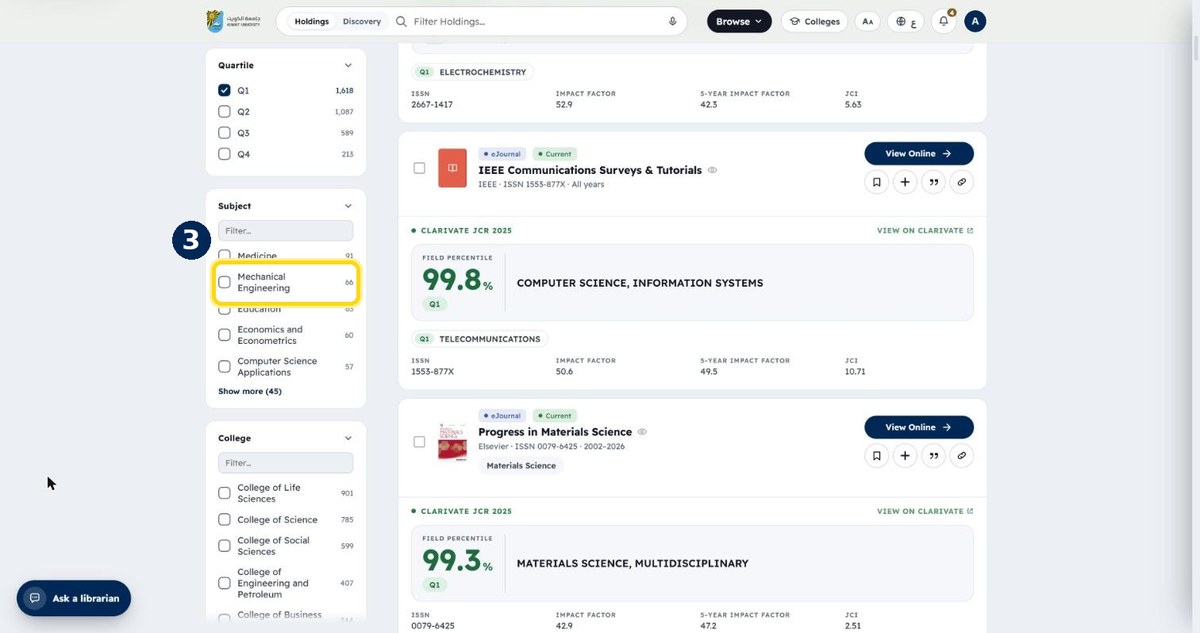
- 4
Open any journal with “View Online”
Impact factor, quartile and JCI are on each card