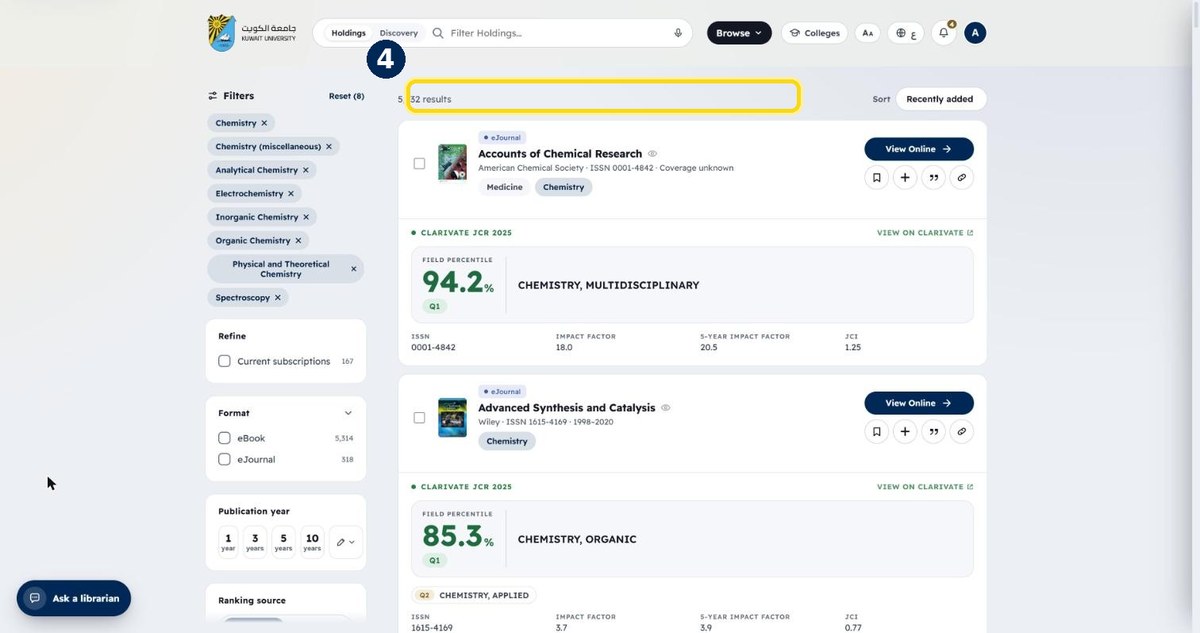
How to browse by subject
Every subject area has its own page: expand it to see sub-topics, then open all the titles in that field.
- 1
Click “Subjects” in the top menu
Next to Browse
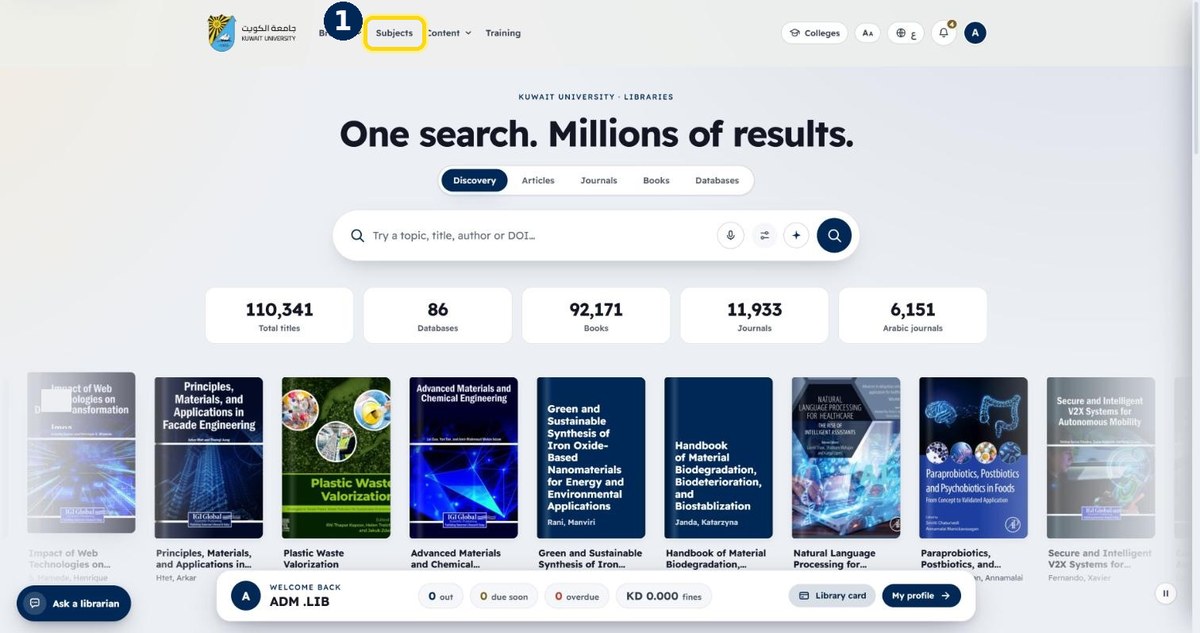
- 2
Click + next to a subject, e.g. Chemistry
The number is how many titles it has
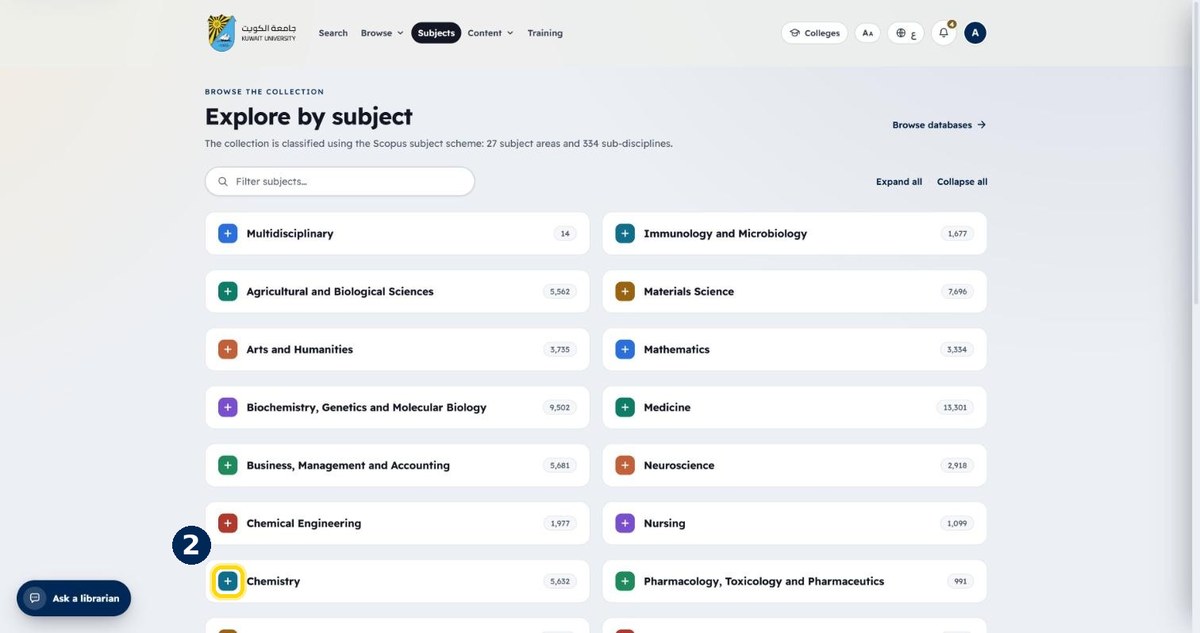
- 3
Pick a sub-topic, or the subject itself
Each sub-topic shows its own count
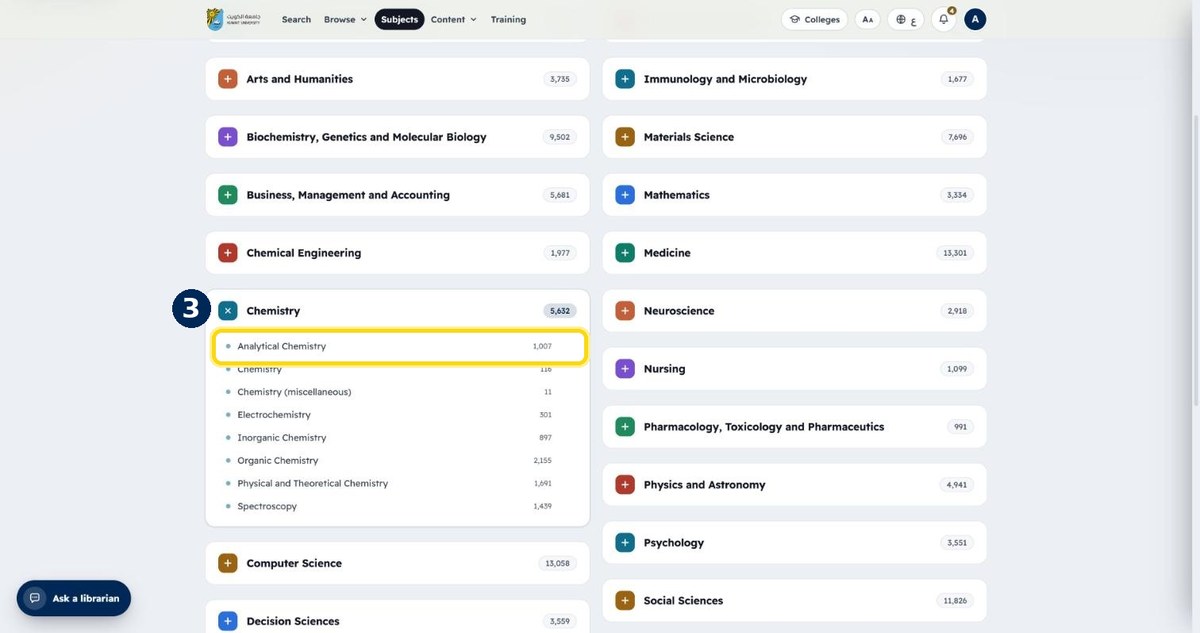
- 4
All titles in that subject are listed
Keep narrowing with the side filters