How to find a printed book on the shelf
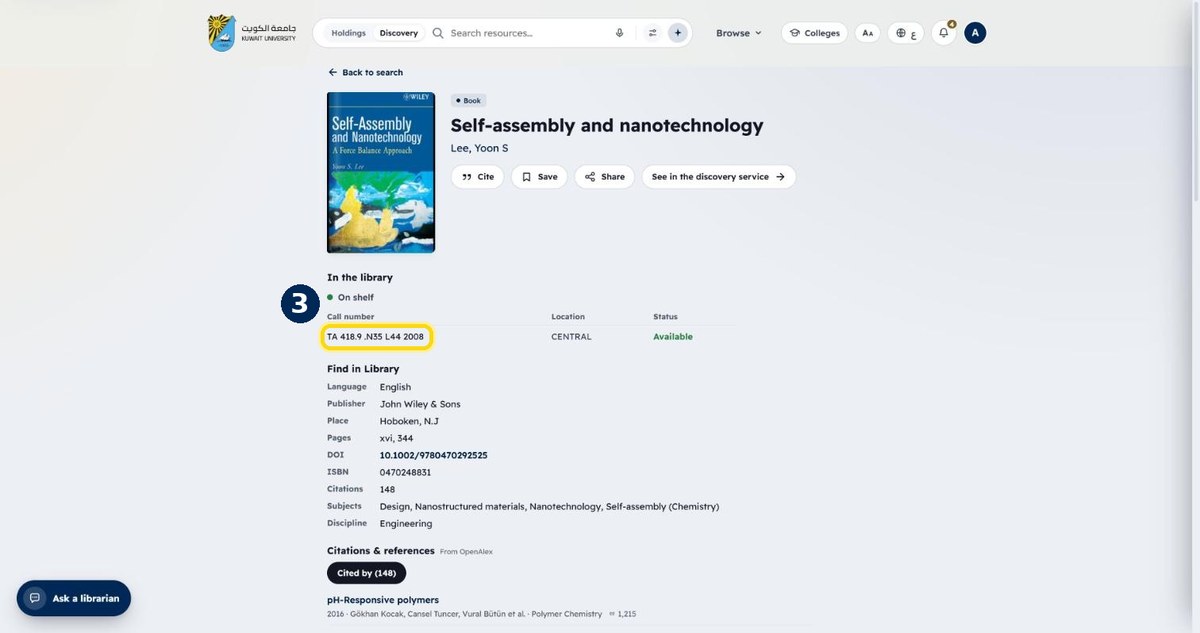
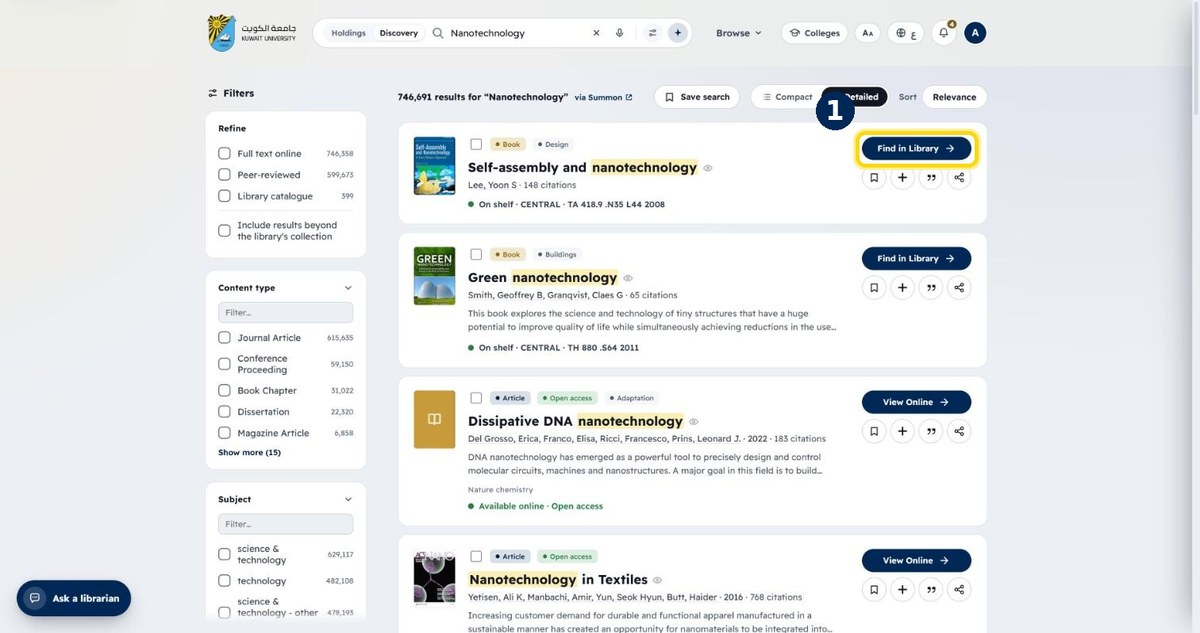
Printed items show “Find in Library”. The record page gives the call number, the library and whether the copy is on the shelf right now.
- 1
Click “Find in Library” on a result
Printed books and theses show this button
- 2
Check the status: “On shelf” / “Available”
Updated live from the library system
- 3
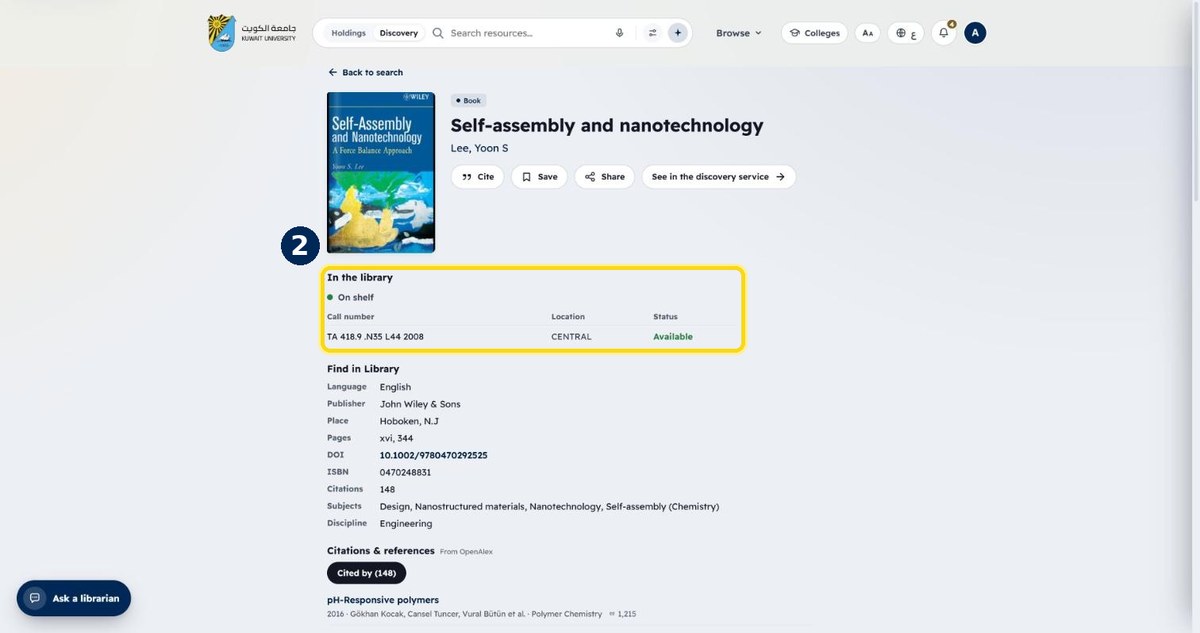
Note the call number and location
Use it to find the book on the shelf in that library